Connecting Sharetribe
Connect your Sharetribe marketplace to Toppal to enable affiliate referral tracking.
Written By Toppal Support
Last updated 5 months ago
Connecting Sharetribe
The Sharetribe integration is the foundation of Toppal's referral tracking.
Plan requirement: Available on all plans.
Prerequisites
A Sharetribe marketplace with an active subscription
Access to Sharetribe Console
Admin access to your Toppal account
Step 1: Connect Integration API
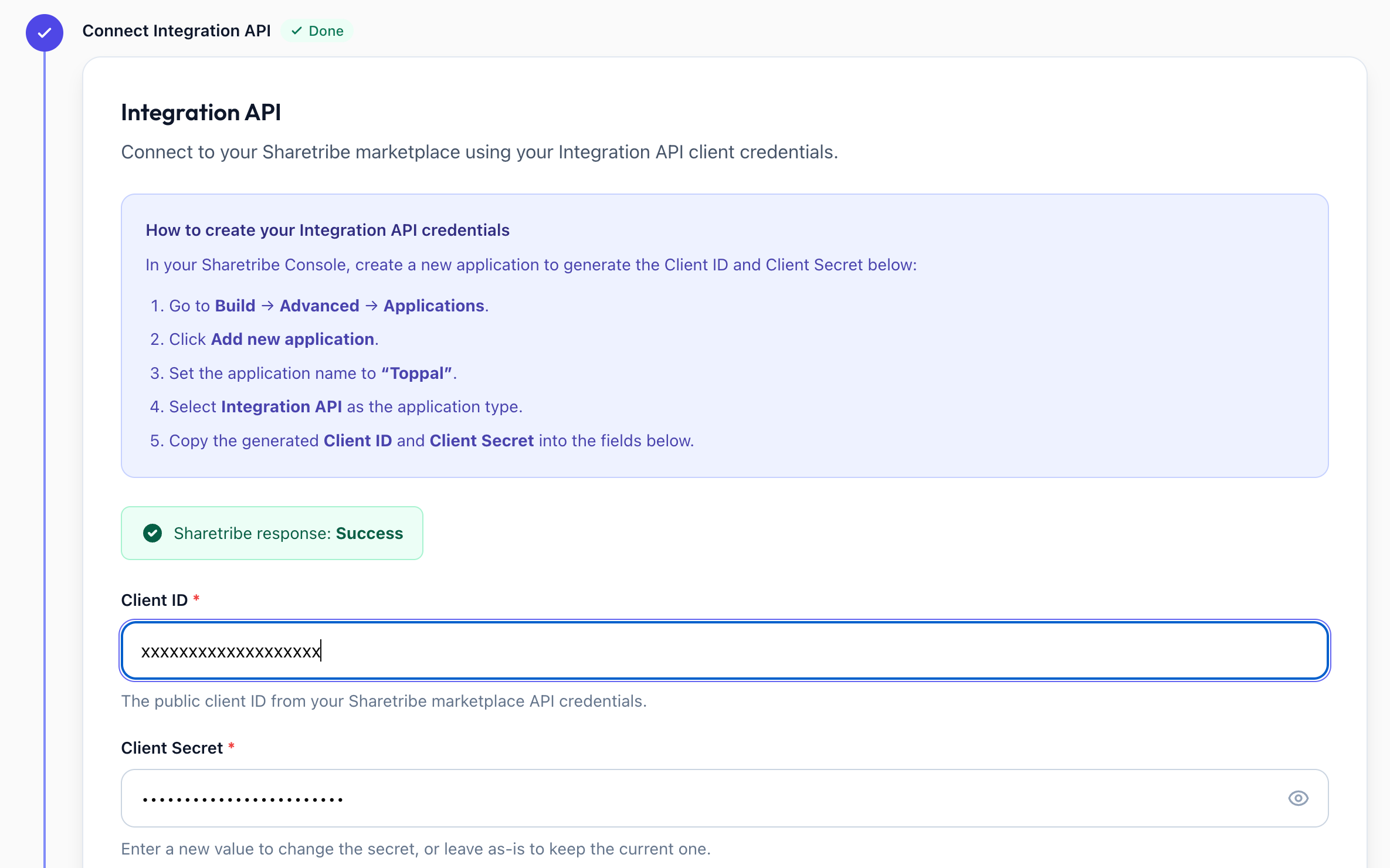
Navigate to Admin > Integrations > Sharetribe.
Enter your Sharetribe Integration API Client ID and Client Secret.
Click Continue to validate.
Where to find credentials: Sharetribe Console > Build > Applications > Integration API.
Step 2: Set Up Referral Source
In Sharetribe Console, go to Build > Users > User Types.
Select your user type and click Add a new referral source.
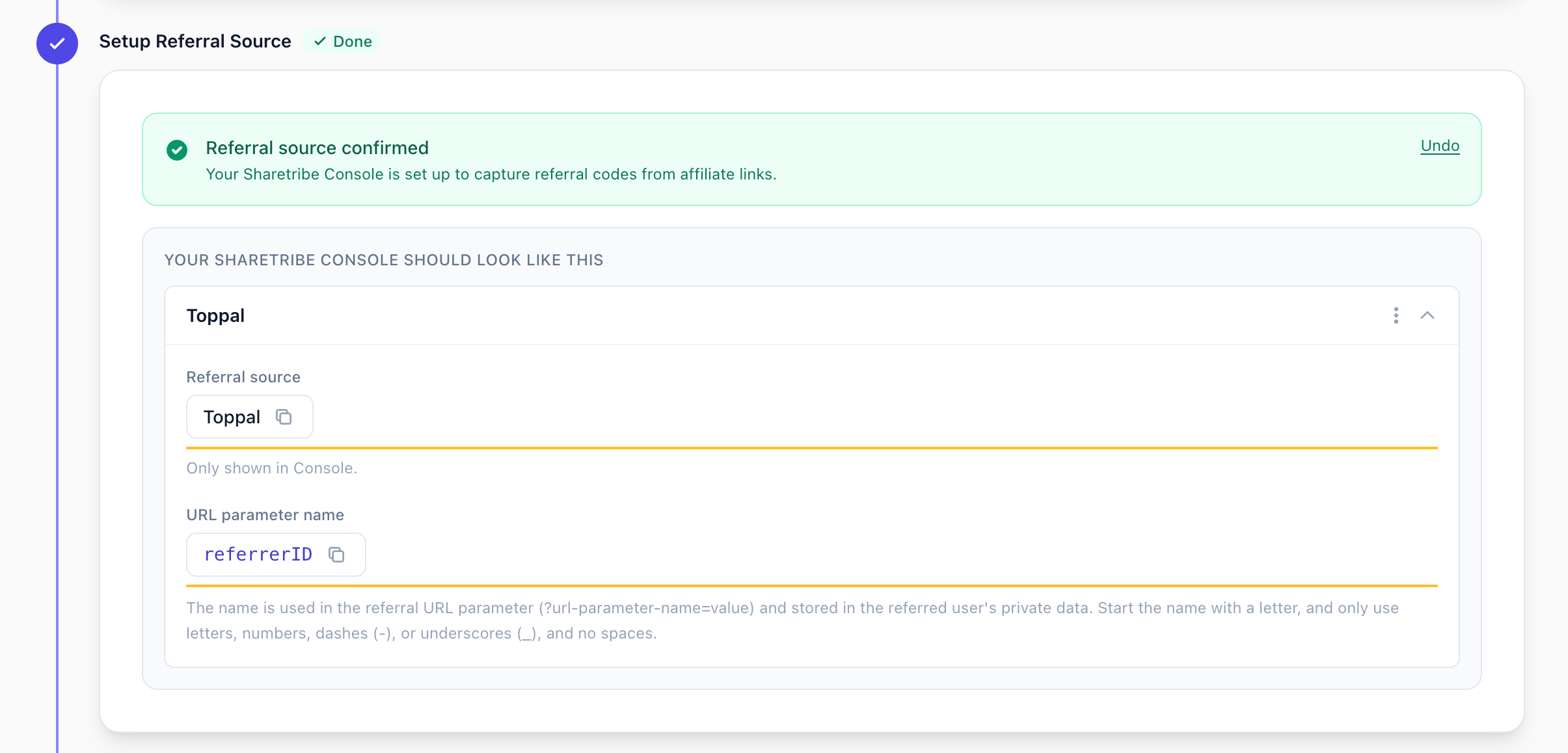
Configure exactly (case-sensitive):
Referral source name: Toppal
URL parameter name: referrerID
Return to Toppal and confirm.
Step 3: Choose Marketplace Type
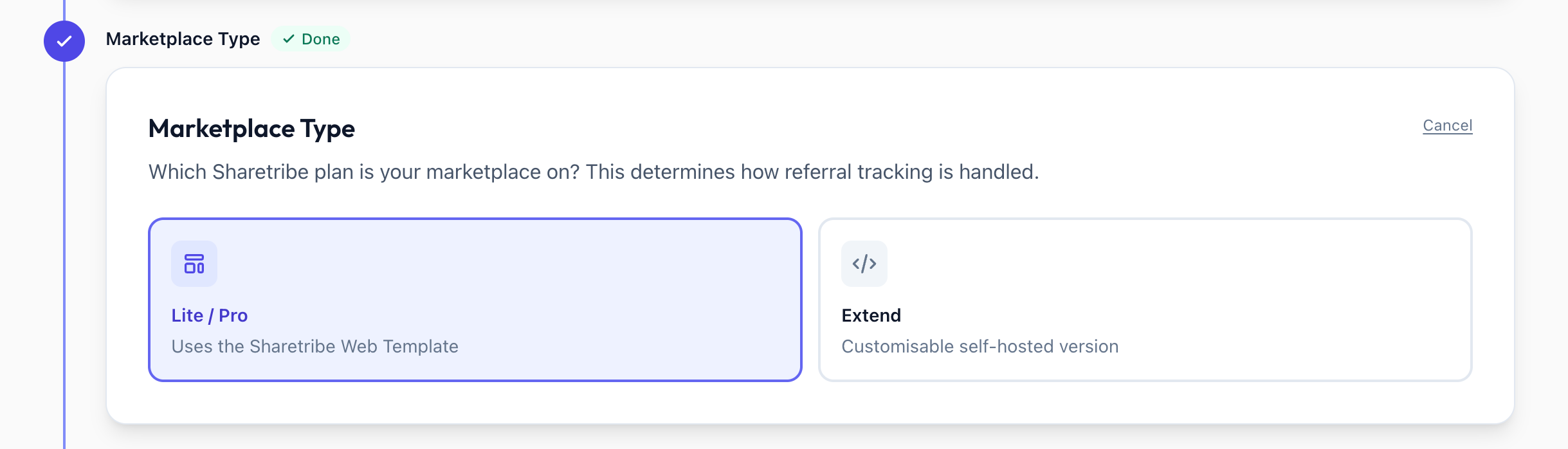
Sharetribe Web Template (Lite/Pro)
Referral tracking is handled automatically. No code changes needed.
Custom Code (Extend)
You need to implement referral tracking:
If on Web Template v11.1.0+, confirm tracking is implemented
Otherwise merge Sharetribe PR #826 or implement manually: capture referrerID from URL, store in browser, pass during signup
Step 4: Complete
Web Template users: Setup is complete automatically.
Custom Code users: Confirm your tracking implementation is live.

After Setup
Events sync automatically every 5 minutes
View sync history on the Sharetribe integration page
You can now activate programs
Was this helpful?
Still need help? Share an idea