Advanced Program Features
Configure referral limits, transaction caps, and minimum values.
Written By Toppal Support
Last updated 5 months ago
Advanced Program Features
Advanced program features give you finer control over how payouts are earned. These options are found in the "Advanced program features" section when creating or editing a program.
Plan requirement: Advanced program features are available on Standard and Pro plans. If you are on the Lite plan, these options will not appear in your program configuration.
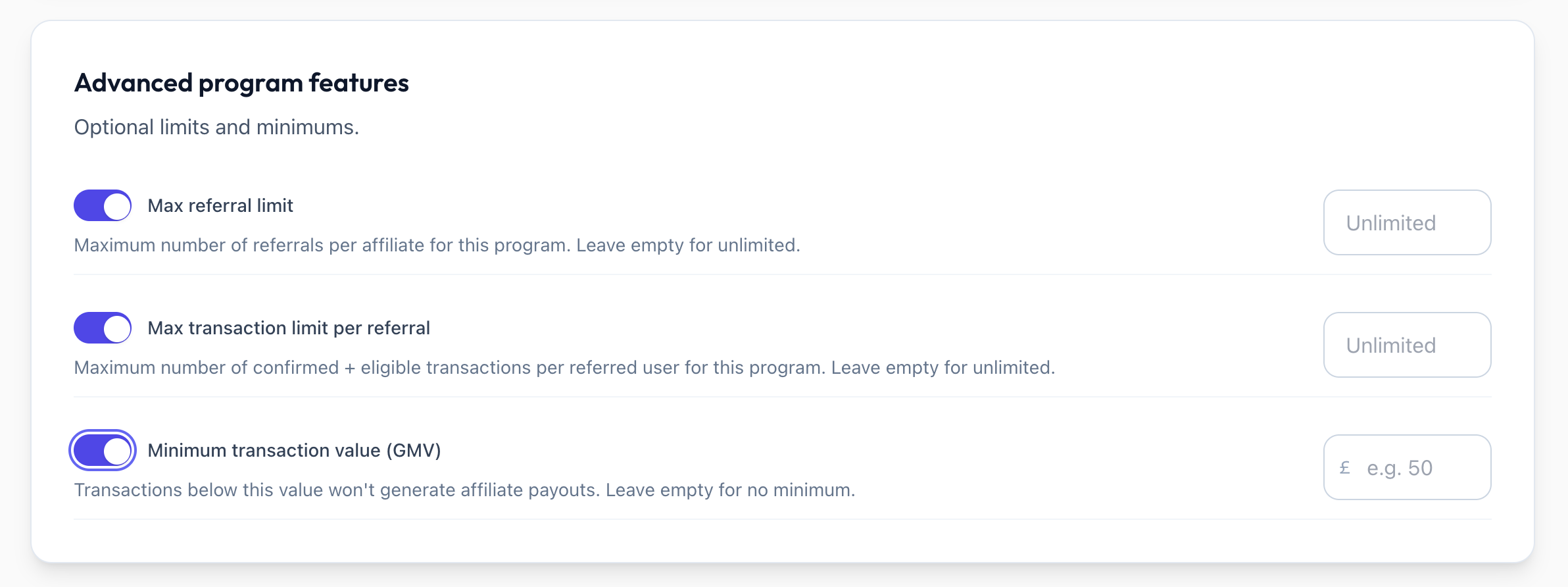
Max Referral Limit
Set a maximum number of referrals each affiliate can make for this program.
How It Works
Define a numeric limit (e.g. 50 referrals).
The limit caps how many distinct referred users an affiliate can earn payouts for. A referred user only counts towards the limit once they have an eligible transaction.
On Transaction programs this is enforced: once the affiliate reaches the limit, transactions from additional referred users are marked ineligible with the reason "Reached referral limit", so no further payouts are generated for that affiliate.
The limit is also displayed on the affiliate signup page so potential affiliates know the program's cap up front.
Configuration
Open the program in Admin > Programs.
Scroll to Advanced program features.
Enter the desired value in the Max Referral Limit field.
Availability
Available for both Sign Up and Transaction trigger programs.
Max Transaction Limit per Referral
Limit the number of eligible transactions that generate payouts for each referred user.
How It Works
Define a numeric limit (e.g. 3 transactions).
Only eligible transactions count toward the limit. Transactions that are ineligible for other reasons (e.g. below the minimum GMV value) are not counted, so they do not use up a referred user's allowance.
Once a referred user reaches the limit of eligible transactions, their subsequent transactions are marked ineligible (Transaction limit reached) and no payout is created.
Example
If the max transaction limit is set to 3:
Referred user's 1st confirmed transaction → payout generated.
Referred user's 2nd confirmed transaction → payout generated.
Referred user's 3rd confirmed transaction → payout generated.
Referred user's 4th confirmed transaction → marked ineligible, no payout.
Configuration
Open the program in Admin > Programs.
Scroll to Advanced program features.
Enter the desired value in the Max Transaction Limit field.
Availability
Transaction trigger only. This option is hidden when the Sign Up trigger is selected, since Sign Up programs do not track transactions.
Minimum Transaction Value (GMV)
Set a minimum GMV threshold that transactions must meet to be eligible for a payout.
How It Works
Define a minimum value in your marketplace currency's major units (e.g. £50).
When a transaction is confirmed, its GMV is compared against this threshold.
Transactions with a GMV below the minimum are marked as ineligible and no payout is generated.
Example
If the minimum transaction value is set to £50:
A transaction with £75 GMV → eligible, payout generated.
A transaction with £30 GMV → ineligible, no payout.
Configuration
Open the program in Admin > Programs.
Scroll to Advanced program features.
Enter the desired value in the Minimum Transaction Value field.
The value is in your marketplace currency's major units (pounds, dollars, euros, etc.).
Availability
Transaction trigger only. This option is hidden when the Sign Up trigger is selected.
Trigger-Based Visibility
When configuring a program:
If the Sign Up trigger is selected, only Max Referral Limit is shown in the advanced features section.
If the Transaction trigger is selected, all three options are shown: Max Referral Limit, Max Transaction Limit per Referral, and Minimum Transaction Value.
This keeps the interface clean by only presenting options relevant to your selected trigger.
Was this helpful?
Still need help? Share an idea