Paying Affiliates
How to pay affiliates using manual or automated payment methods.
Written By Toppal Support
Last updated 5 months ago
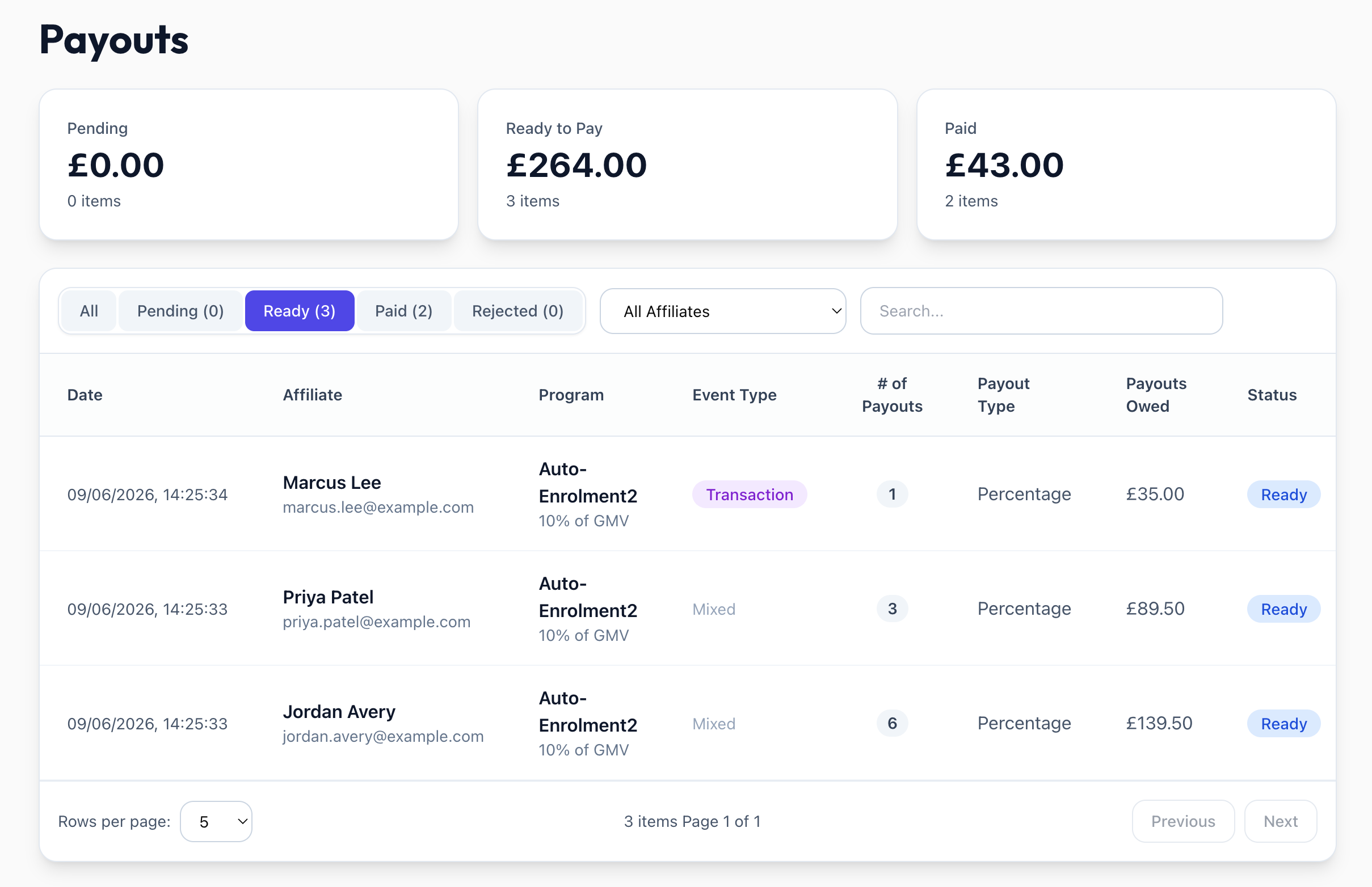
Once a payout reaches Ready status, you can pay the affiliate. Ready payouts are grouped into one batch per affiliate.
How to Pay
Navigate to Admin > Payouts > Ready tab
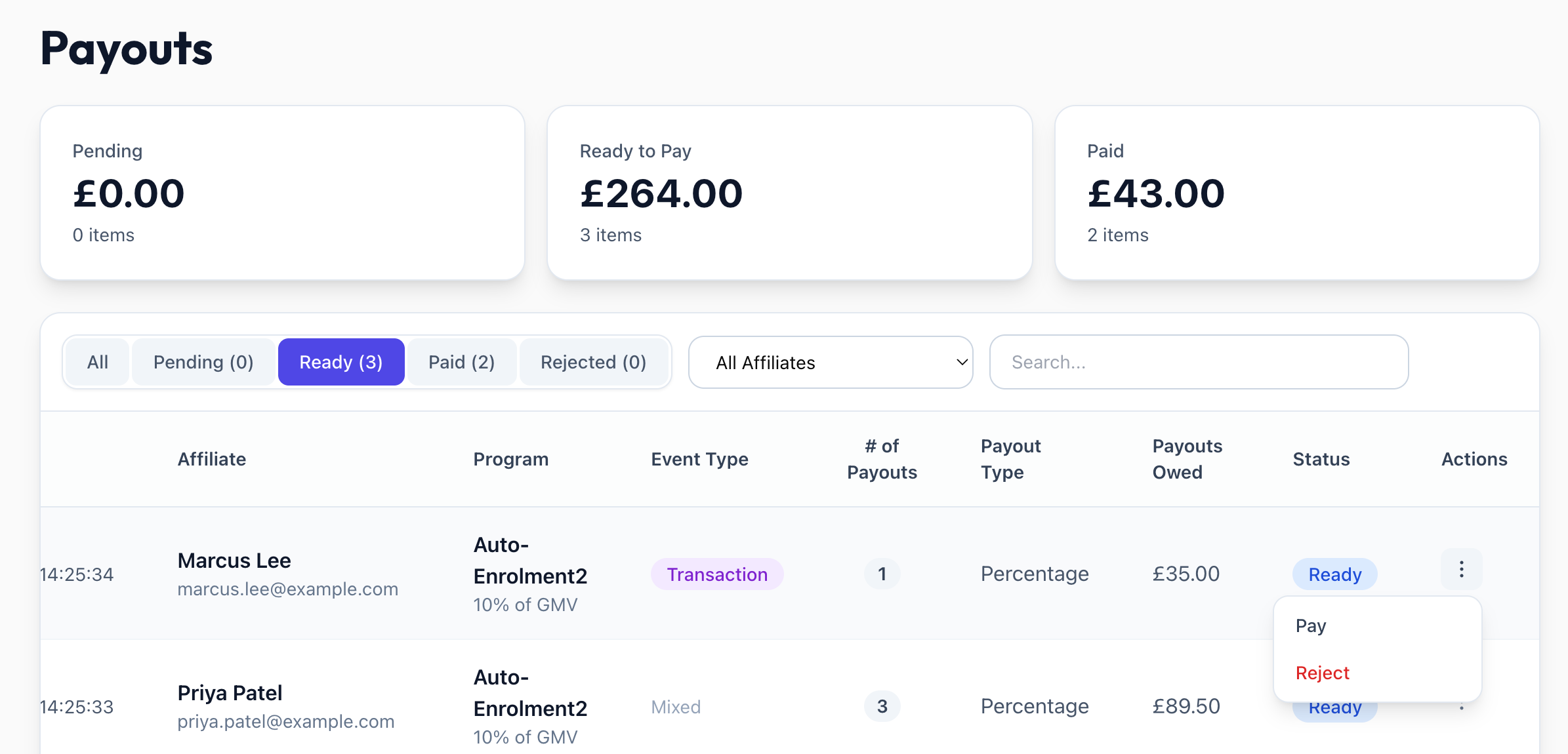
Click the actions menu on the affiliate's batch row and select Pay
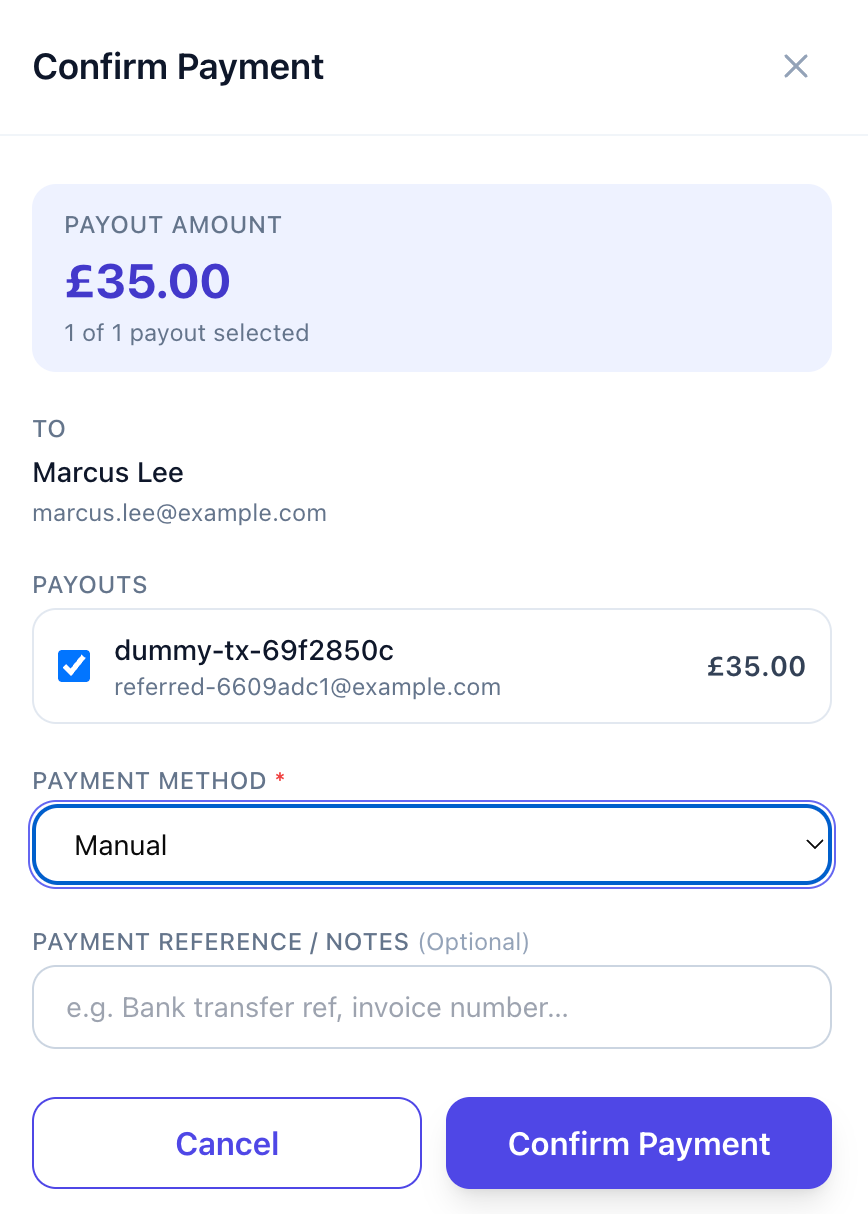
The Pay dialog opens with all payouts selected by default, showing the combined total and an X of Y payouts selected count. Untick any you do not want to pay yet — the total updates automatically.
Choose a payment method (Manual or Automated via Tremendous)
Confirm. Only the selected payouts are marked Paid; the rest stay in Ready.
Manual Payment
You handle the money transfer yourself. Optionally enter a payment reference (e.g. bank transfer ID). Payout marked as Paid immediately. The affiliate is not notified when the payout has been marked as paid with a manual payment.
Automated Payment (Tremendous)
Requires Tremendous integration connected and marketplace currency configured.
A single combined reward for the selected total is sent to the affiliate's email via Tremendous
A Tremendous order ID is stored for tracking and shown on confirmation
If the API call fails, the payouts are NOT marked Paid — you can retry
Rejecting a Batch
The Reject action opens the same multi-select dialog (all selected by default) where you choose a rejection reason and an optional description. Only the selected payouts are rejected.
Payout Detail View
In the Paid and Rejected tabs each batch is one row. Click View to see every member transaction in the batch, along with amount, transaction info, affiliate and referred user details, payment method, references, and date.
Was this helpful?
Still need help? Share an idea