Branding Your Affiliate Pages
Configure default and per-program branding for affiliate-facing pages and emails.
Written By Toppal Support
Last updated 5 months ago
Branding Your Affiliate Pages
Toppal lets you control the visual identity of every affiliate-facing page and email. You can set workspace-wide defaults and optionally override them on a per-program basis.
Default Branding
Navigate to Admin > Customise > Default Branding to configure your workspace-level branding. These values apply everywhere unless a program-specific override is set.
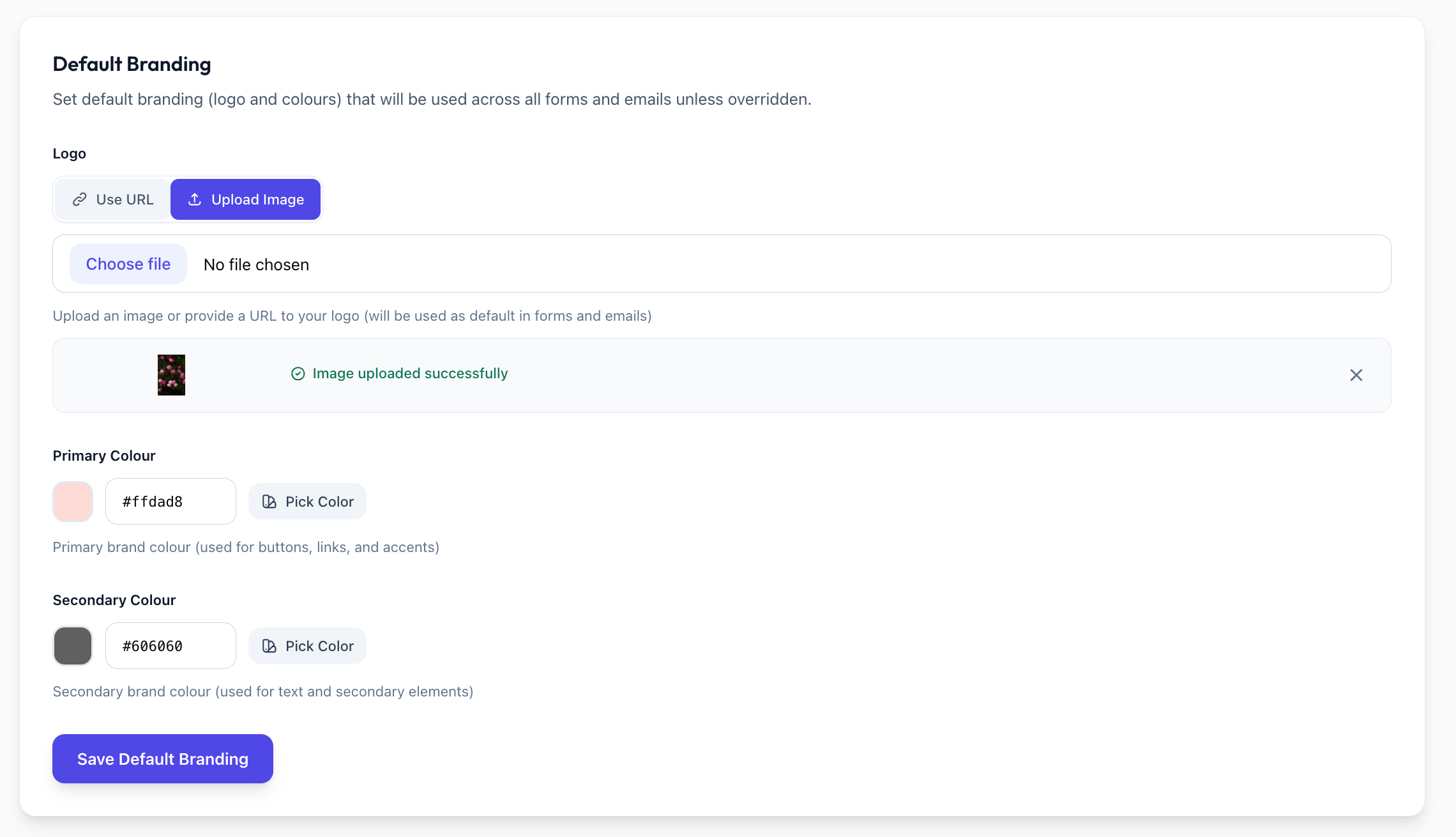
Logo
Upload an image file or provide a URL to an externally hosted logo. This logo appears on affiliate signup pages and in outgoing emails.
Primary Colour
Sets the colour for buttons and interactive elements on affiliate-facing pages. Enter a hex colour value (e.g. #4F46E5).
Secondary Colour
Applied to text elements on affiliate-facing pages. Enter a hex colour value.
How Defaults Work
Default branding is used automatically across all programs and email templates unless you explicitly override it at the program level. This means you only need to configure branding once if all your programs share the same visual identity.
Per-Program Branding Overrides
When you need a specific program to look different from your workspace defaults, you can override branding at two levels:
Affiliate Signup Page Overrides
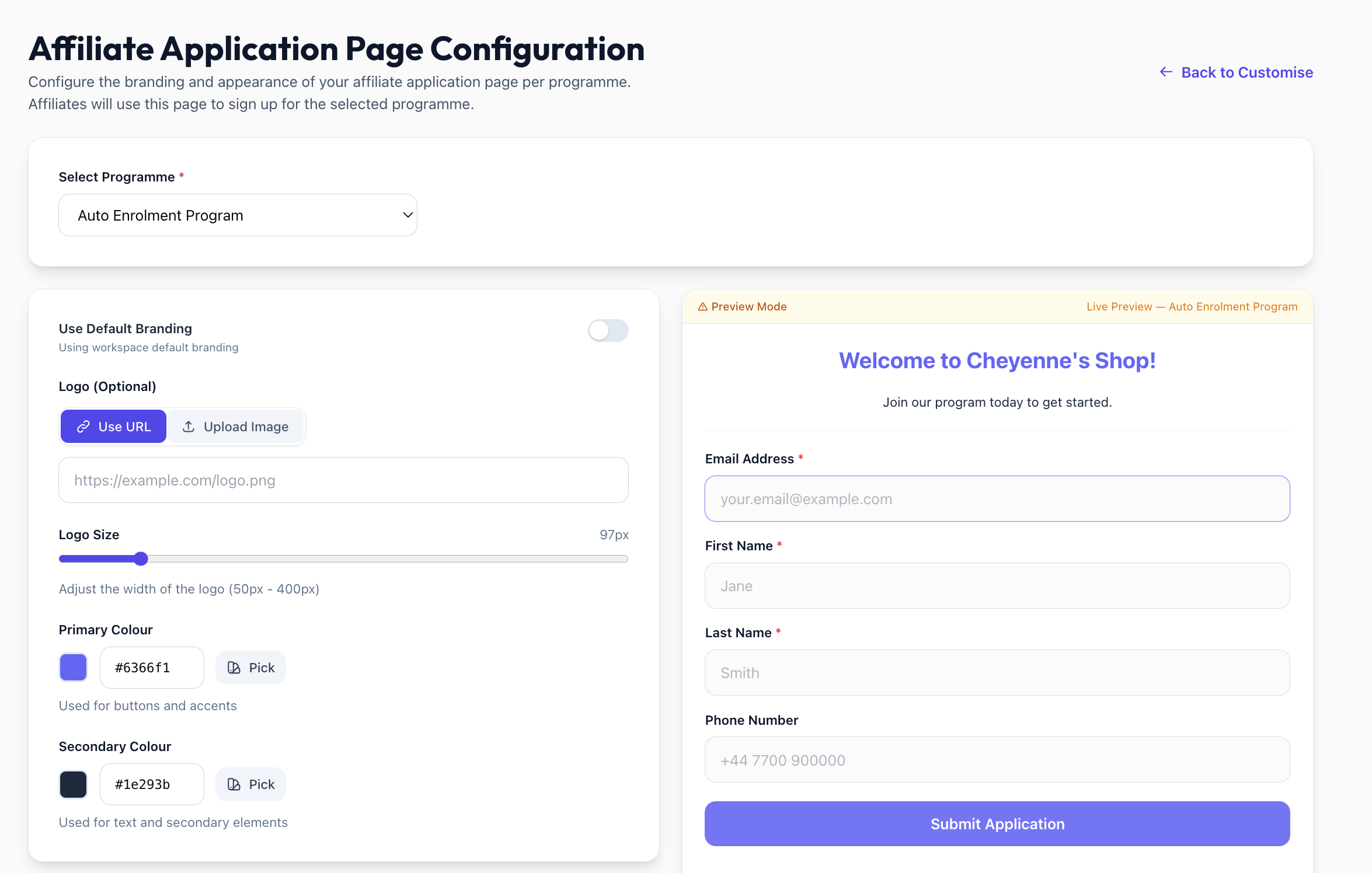
When configuring an affiliate signup page (Admin > Customise > Affiliate Signup), you can choose between:
Use default branding -- inherits your workspace-level logo, primary colour, and secondary colour
Override -- specify a custom logo, logo size, primary colour, and/or secondary colour for that program's signup page only
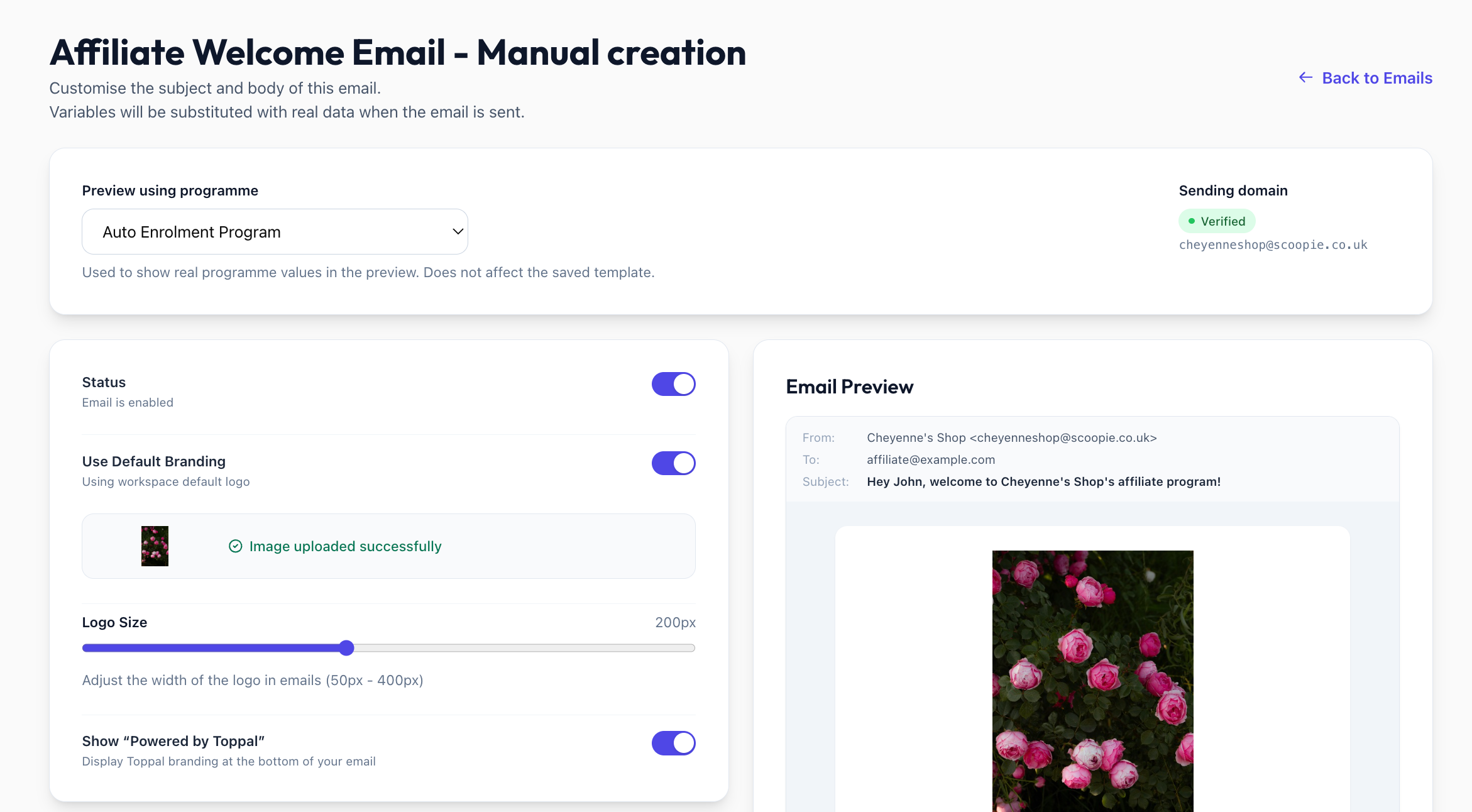
Email Template Overrides
Each email template includes a Use default branding toggle. When disabled, you can provide:
Custom logo
Custom primary colour
Custom secondary colour
See Customizing Email Templates for full details.
Where Branding Appears
Your branding settings are applied to the following surfaces:
Affiliate signup/application pages -- the public form where potential affiliates apply to your program
Affiliate welcome emails -- the confirmation emails sent after signup, manual creation, or auto-enrolment
"Powered by Toppal" badge -- a small badge displayed on signup pages and emails
Removing the "Powered by Toppal" Badge
The badge is required on the Lite plan. On Standard and Pro plans, you can remove it via the toggle in your signup page and email template settings.
Was this helpful?
Still need help? Share an idea