Managing Affiliates
View, filter, and manage your affiliates from the Admin dashboard.
Written By Toppal Support
Last updated 5 months ago
Managing Affiliates
Navigate to Admin > Affiliates to view and manage all affiliates.
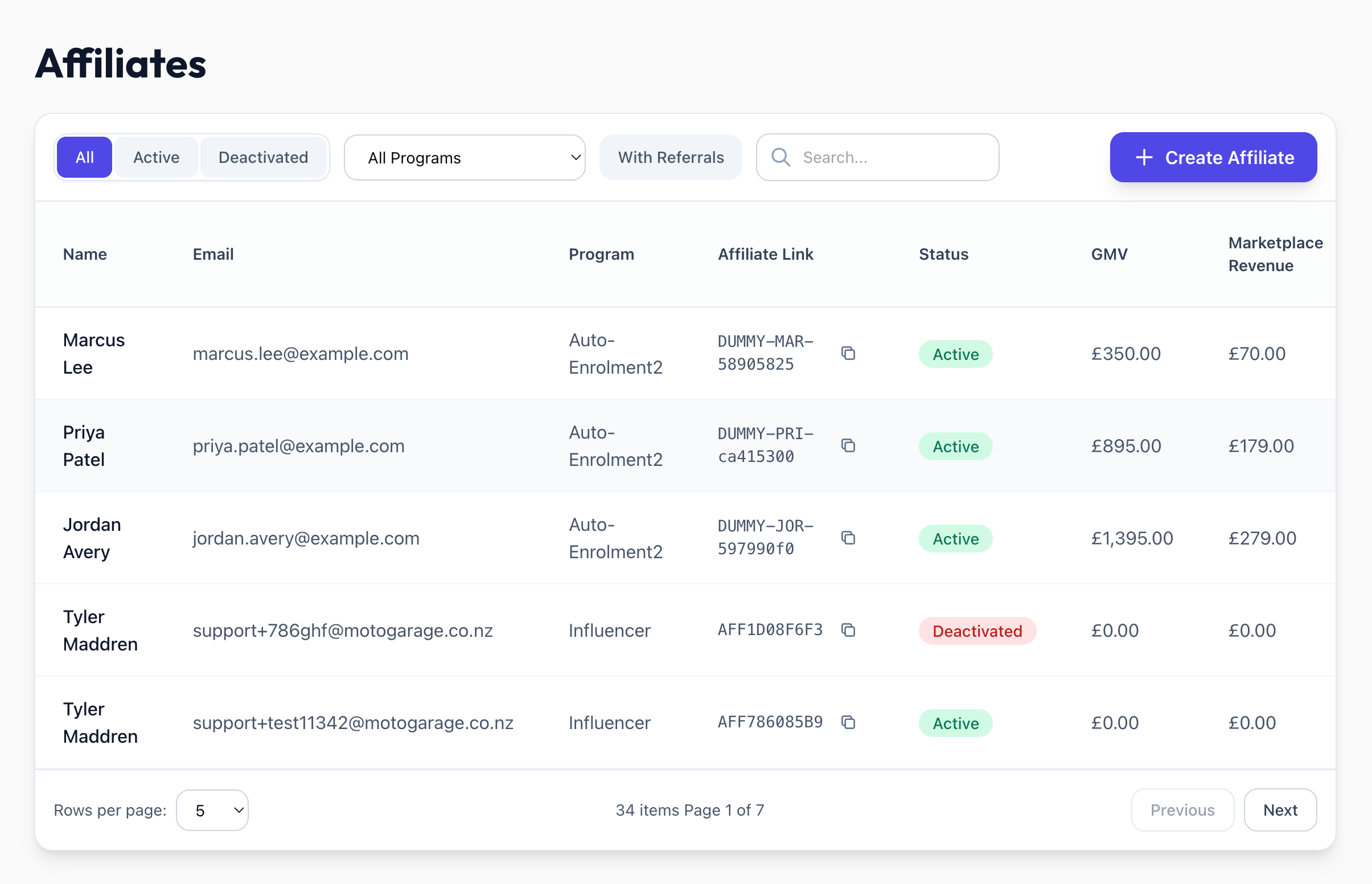
List View Columns
The affiliate name and email are clickable in the table — clicking either opens that affiliate's detail page.
Filtering and Searching
Status tabs: All, Active, Deactivated
Program dropdown: Filter by program
With Referrals toggle: Show only affiliates with at least one referral
Search: By name, email, or affiliate code
Affiliate Detail Page
Click any affiliate's name or email to see:
Lifetime performance: GMV, Revenue, Total Payouts Paid
Status card: Active/Deactivated, dates, creation method (Manual, Form, Auto Enrolment)
Referred users table
Referral link: https://{marketplace}/signup?referrerID={code}
Statuses
Active: Can earn payouts on qualifying referrals
Deactivated: Future payouts marked ineligible, but referral links still work
Was this helpful?
Still need help? Share an idea