Adding Affiliates
Three ways affiliates are created: manual, signup form, and auto-enrolment.
Written By Toppal Support
Last updated 5 months ago
Adding Affiliates
Affiliates can be added three ways. Each gets a unique code (e.g. AFF1A2B3C4D).
1. Manual Creation
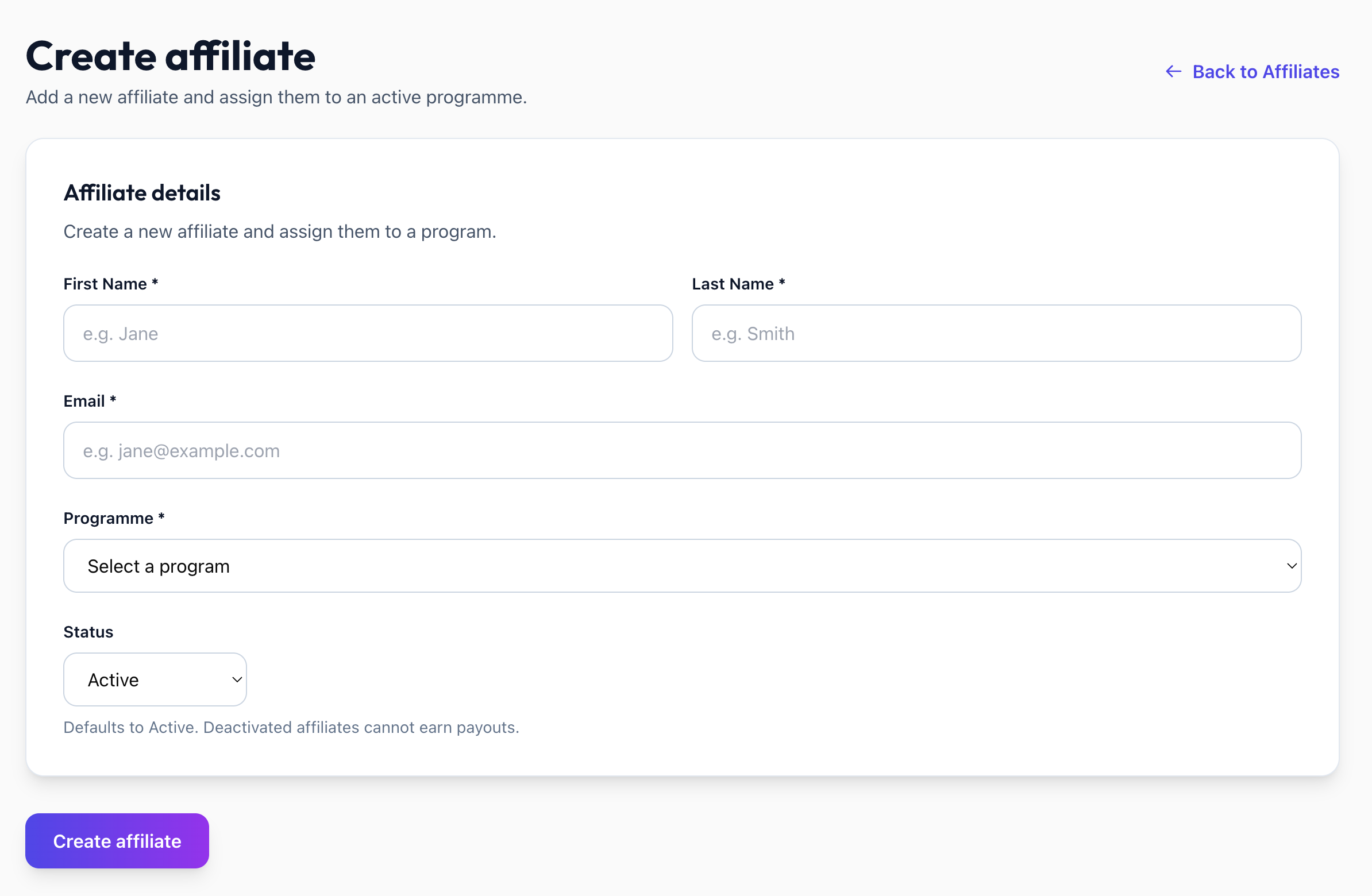
Navigate to Admin > Affiliates > Create Affiliate
Enter First Name, Last Name, Email
Select an active program
Set status to Active or Deactivated
A welcome email is sent if the manual creation template is enabled.
2. Public Signup Form

Affiliates apply at /apply/{workspaceSlug}/{programSlug}
The form collects: Name, Email, and optionally Phone and social links (configurable per-program at Admin > Customise > Affiliate Signup).
The program must be Active. On success, the affiliate sees their referral link.
The form can also be embedded as an iframe.
3. Auto-Enrolment
When an auto-enrolment program is active, affiliates are created automatically:
Sign Up trigger: On new user signup
Transaction trigger: On first confirmed transaction
Comparison
Was this helpful?
Still need help? Share an idea