Customizing Email Templates
Configure email templates for affiliate signup, manual creation, and auto-enrolment.
Written By Toppal Support
Last updated 5 months ago
Customizing Email Templates
Navigate to Admin > Customise > Emails to manage templates.
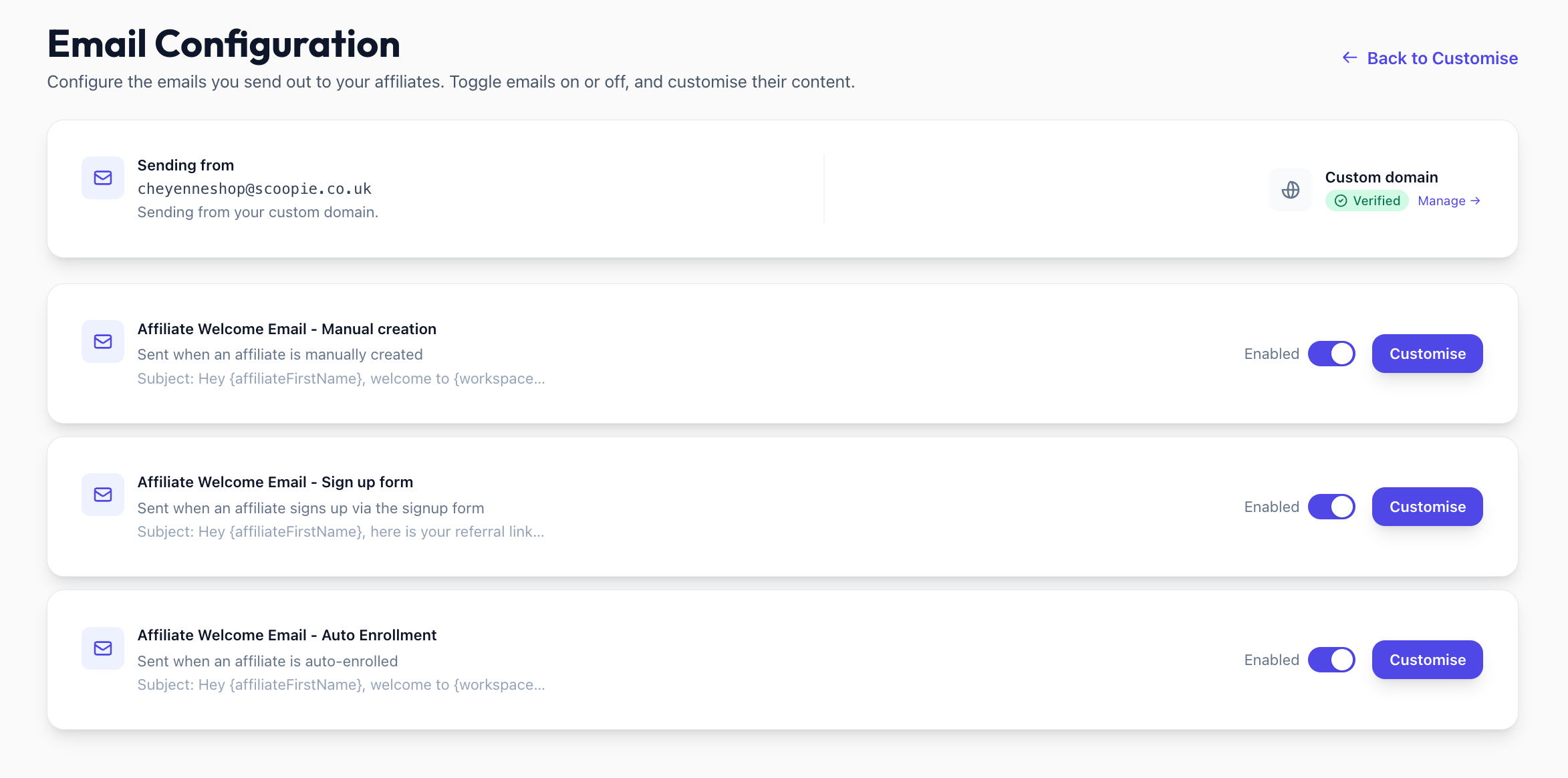
Three Template Types
Manual Creation: Sent when admin creates an affiliate
Signup Form: Sent when affiliate applies via public form
Auto Enrolment: Sent when affiliate is auto-enrolled
Template Settings
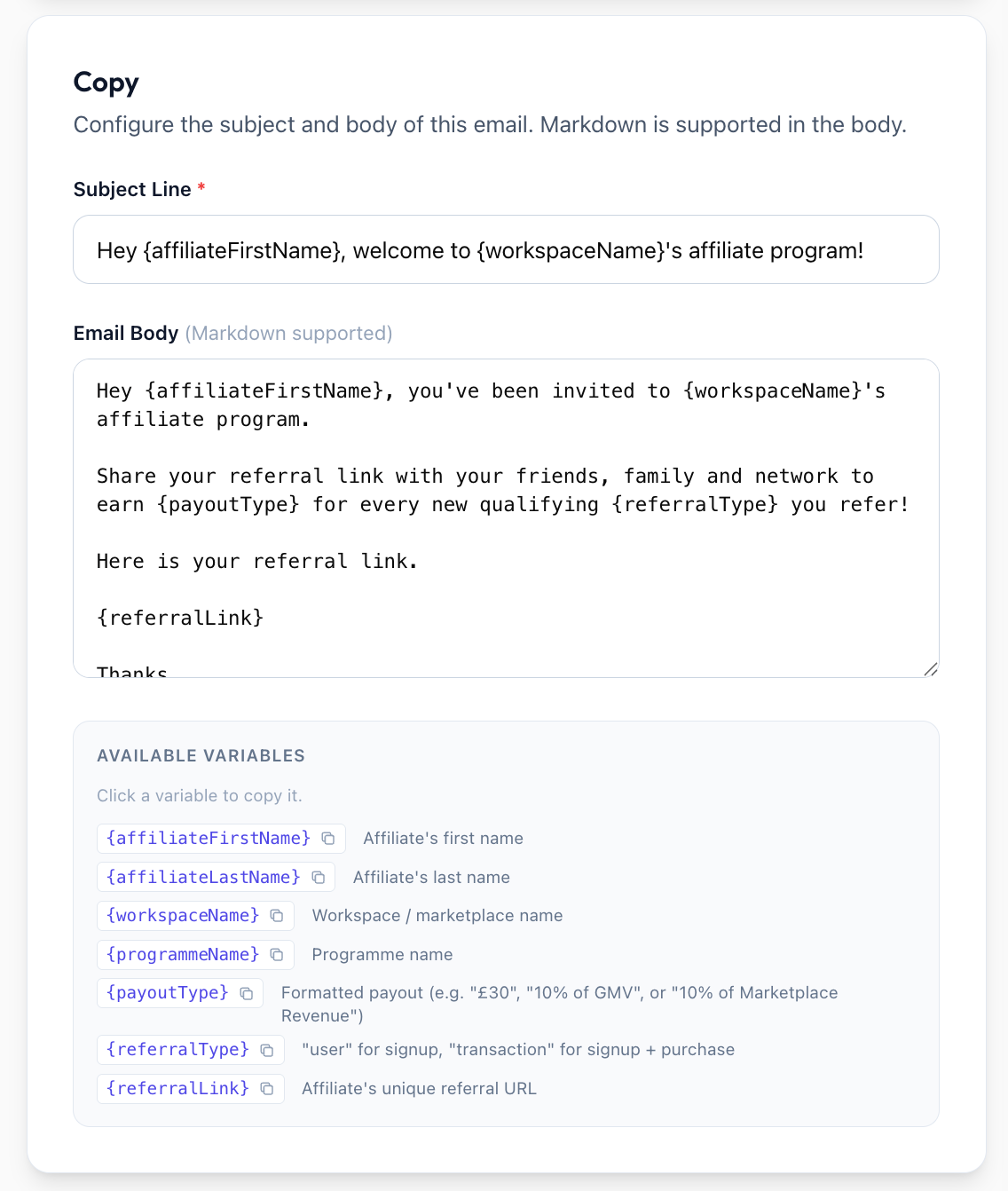
Enabled/Disabled: Toggle whether the email sends
Branding: Use default or override
Subject Line: Supports template variables
Body: Rich text editor with variables
Powered by Toppal: Toggle badge in footer
Template Variables
{affiliateFirstName}, {affiliateLastName}, {workspaceName}, {programmeName}, {payoutType}, {referralType}, {referralLink}
Email Sending Address
With custom domain: sends from your address (e.g. affiliates@yourdomain.com)
Without: sends from {prefix}@toppal.io
Plan Restrictions
Email copy customization available on Standard or higher tier. Badge removal available on Standard+. Lite plan uses defaults with badge.
Was this helpful?
Still need help? Share an idea