Customizing the Affiliate Signup Page
Configure the public affiliate signup page for each program.
Written By Toppal Support
Last updated 5 months ago
Customizing the Affiliate Signup Page
Each program has a public signup page at /apply/{workspaceSlug}/{programSlug}.
Accessing the Editor
Navigate to Admin > Customise > Affiliate Signup
Select the program
Configurable Sections
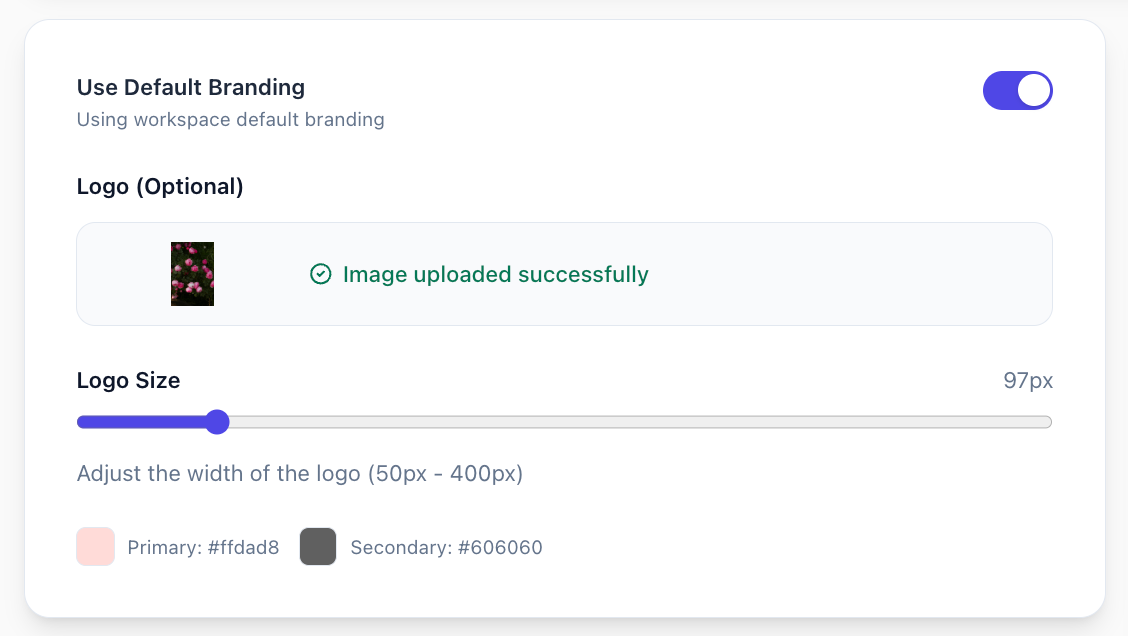
Branding
Use default branding or override with custom logo and colours.
Copy
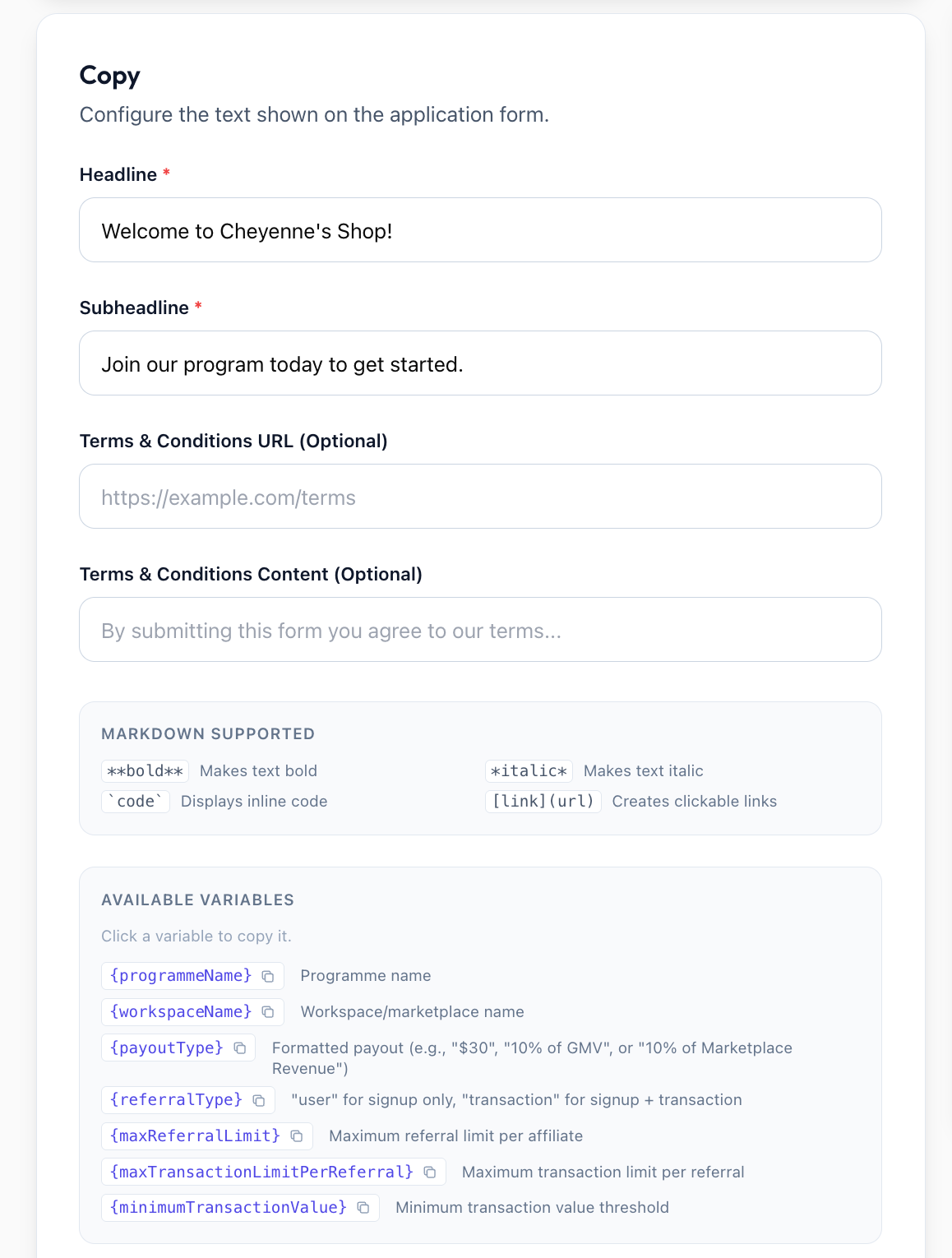
Headline: Main heading
Subheadline: Supporting text (supports markdown)
Terms URL/Content: Optional terms and conditions
Powered by Toppal: Toggle (removable on Standard+)
Template Variables
{programmeName}, {workspaceName}, {payoutType}, {referralType}, {maxReferralLimit}, {maxTransactionLimitPerReferral}, {minimumTransactionValue}
Form Fields
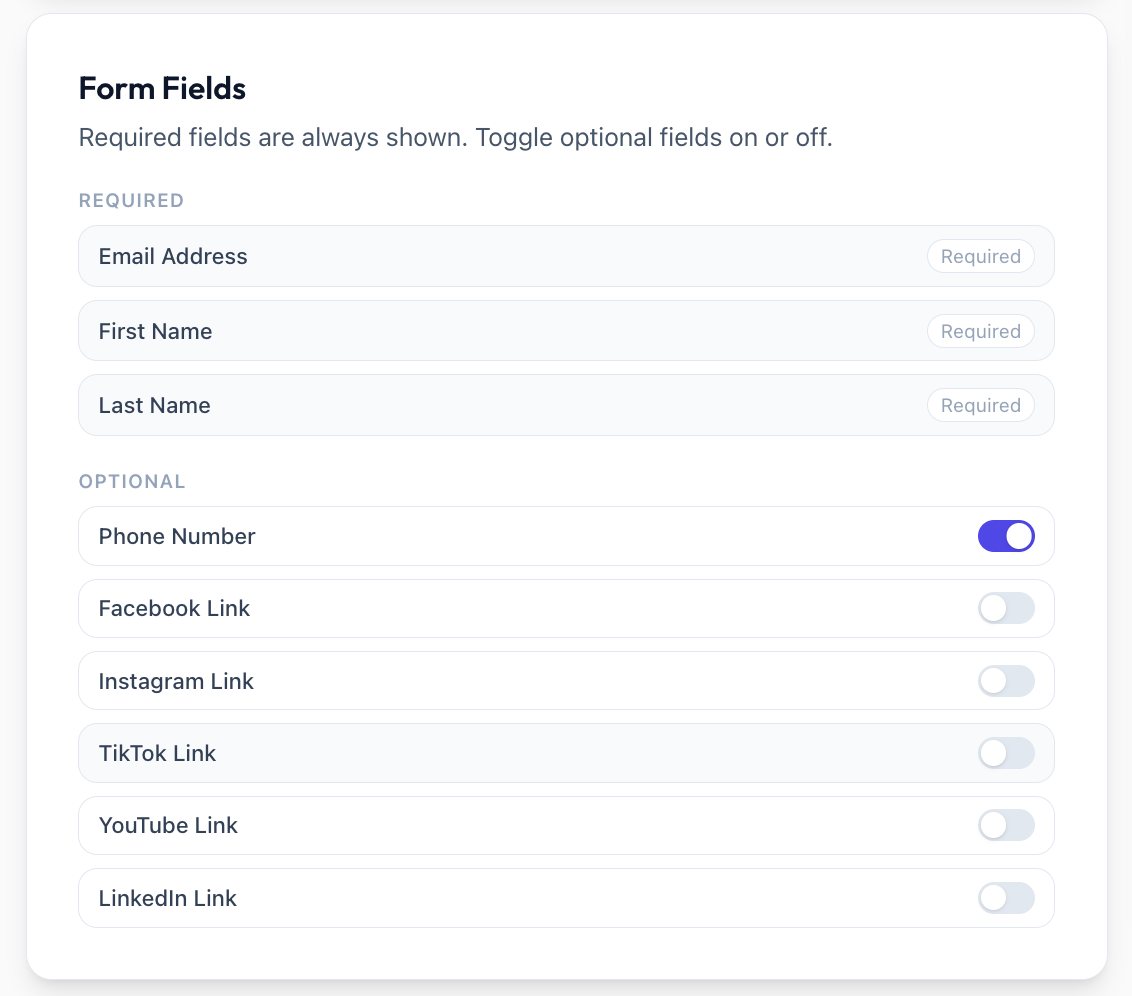
Toggle optional fields: Phone, Facebook, Instagram, TikTok, YouTube, LinkedIn
Implementation
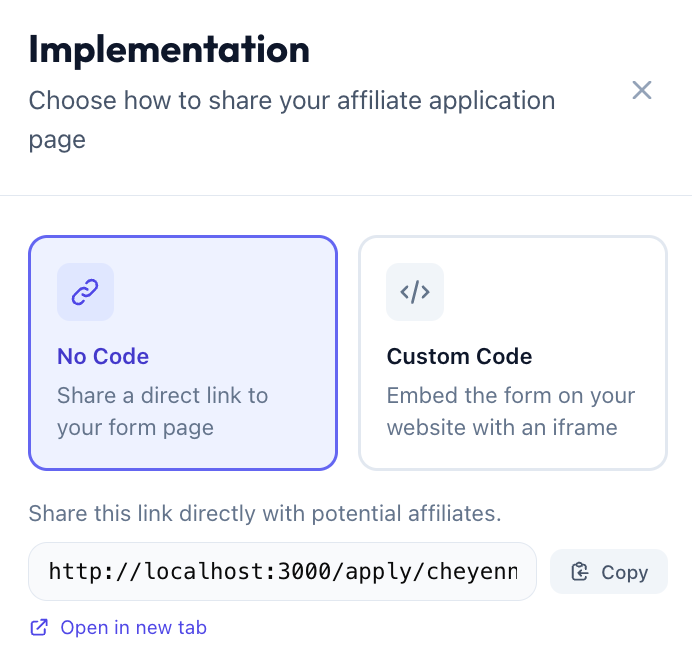
Direct link: Add URL link to your marketplace
Iframe embed: Embed on your website
After Submission
Affiliate sees their referral link and receives a welcome email (if enabled). Program must be Active.
Already registered? If someone who is already an affiliate for this program submits the form again, they are not shown an error or duplicated — they see a friendly confirmation ("Good news — you're already part of the programme. Here's your referral link.") with their existing referral link.
Was this helpful?
Still need help? Share an idea