Referred Users and Referral Tracking
How Toppal tracks referred users and how to view transaction details.
Written By Toppal Support
Last updated 5 months ago
How Referral Tracking Works
Affiliate shares their link: https://{marketplace}/signup?referrerID={code}
User clicks and signs up on your Sharetribe marketplace
The referrerID is captured during signup
Sharetribe stores it as private user data
Toppal reads the attribution during event sync
The user appears as a referred user
Viewing Referred Users
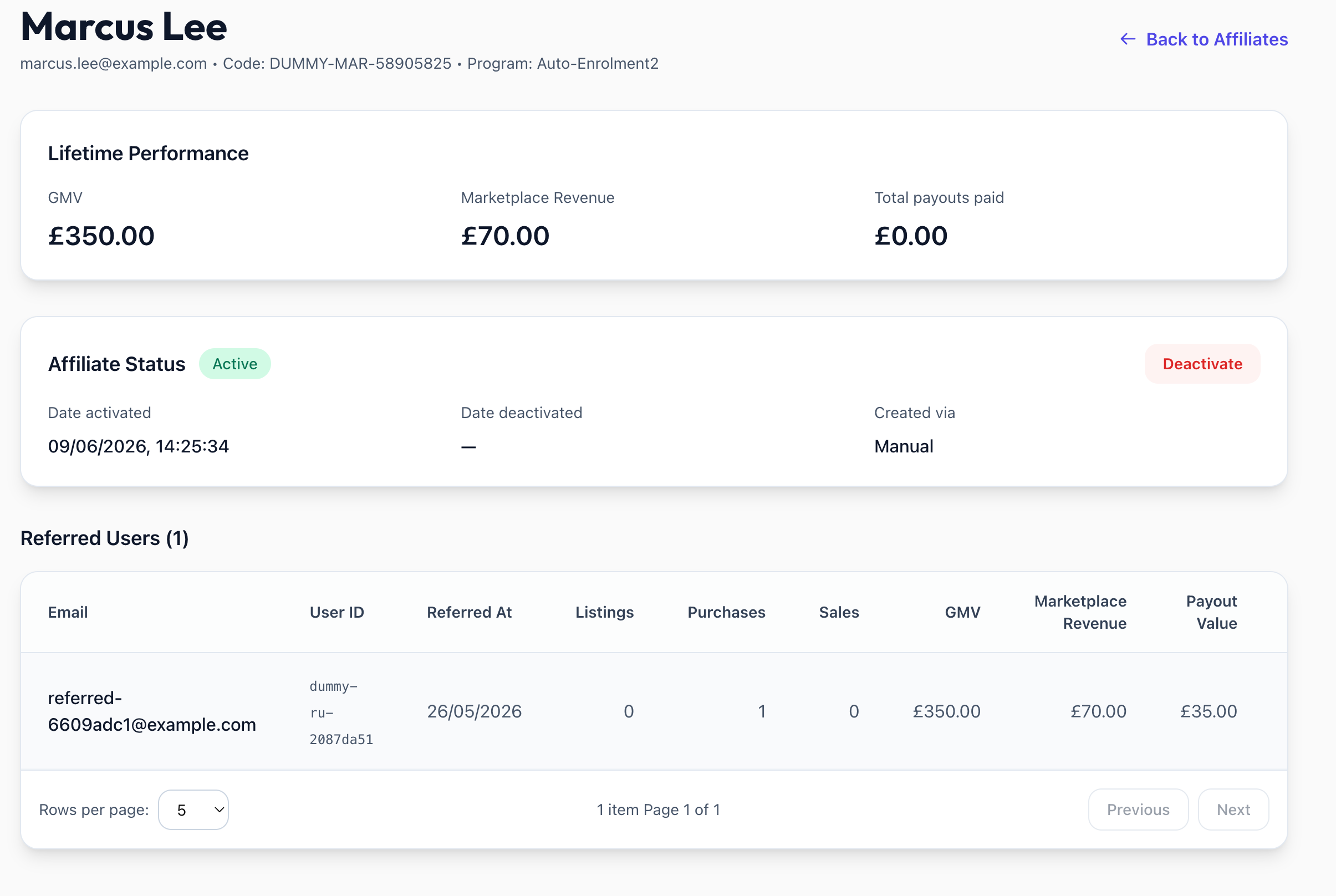
On the affiliate detail page, the Referred Users table shows:
Data minimisation: Toppal stores only the referred user's email and Sharetribe user ID — referee names are not collected or stored.
Transaction Drill-Down
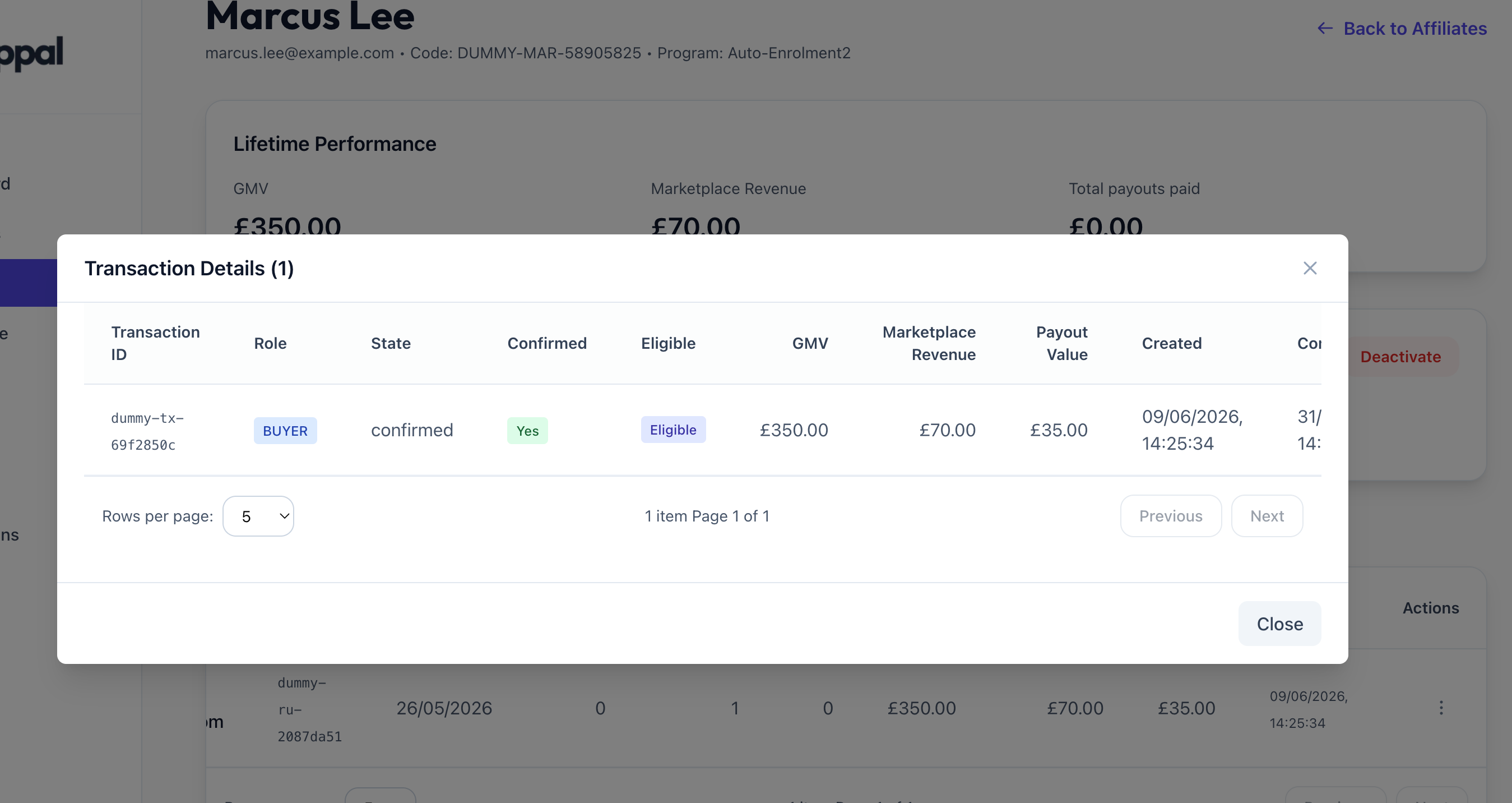
Click a referred user's email to see each transaction: ID, role (buyer/seller), state, eligibility, GMV, revenue, payout value, and transition history.
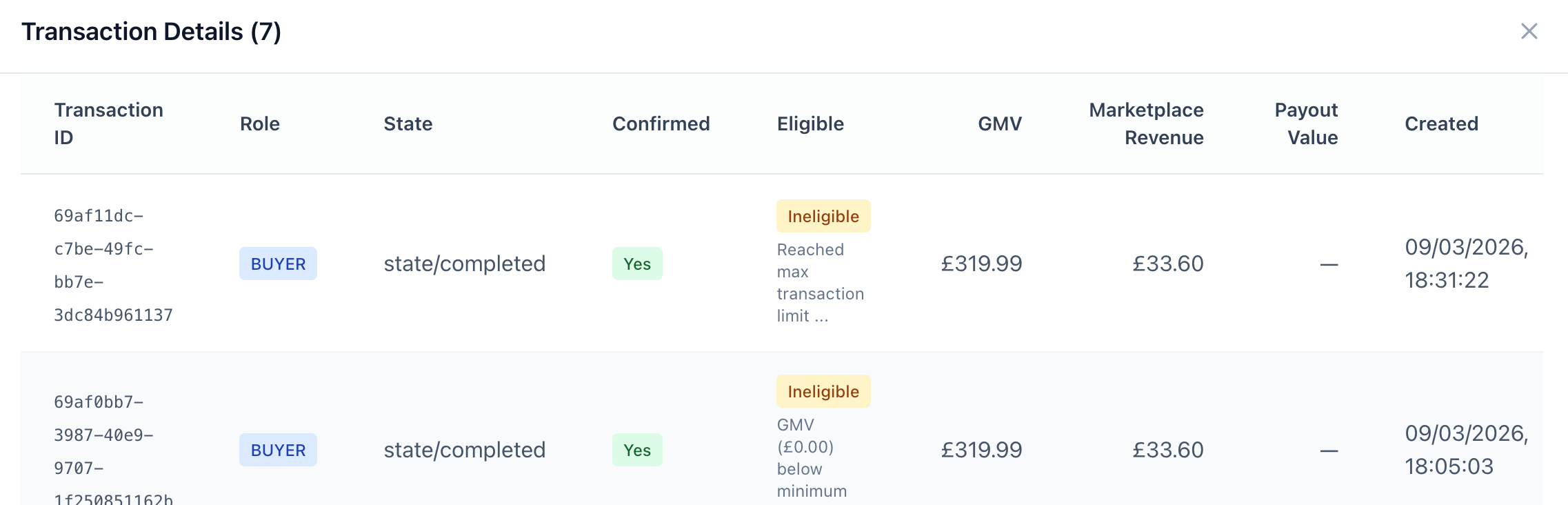
Eligibility Reasons
When ineligible: "Affiliate not active", "Transaction below minimum value", "Reached referral limit", "Transaction limit reached"
Retroactive Attribution
If a referrer code is added after signup, Toppal attributes the user on the next sync cycle.
Was this helpful?
Still need help? Share an idea